Three ways to run it.
All three run the same engine; they talk only to YouTube, on your login.
Drag & go
One bookmark that loads the latest version on the fly. Nothing to install or update.
Tampermonkey
Install once in Tampermonkey or Violentmonkey and it auto-updates. The panel is there every time you open a playlist, no clicking a bookmark.
Chrome / Edge
A zero-permission extension from the Chrome Web Store. Install it once and the panel is just there on every playlist page.
Prefer to add the bookmarklet by hand? Copy the code
Fast, and honest about it.
A ground-up rebuild (v5) engineered to be quick and to prove its work, so it never silently half-finishes.
Actually fast
Sorts through YouTube's own reorder API. A 300-video playlist finishes in seconds, not minutes.
Verified
Re-reads the final order from YouTube's servers and only says "done" when it's truly sorted.
Either direction
Shortest-first or longest-first, with an alphabetical tiebreaker for equal-length videos.
Whole playlist
Reads every video, not just the handful currently loaded on screen.
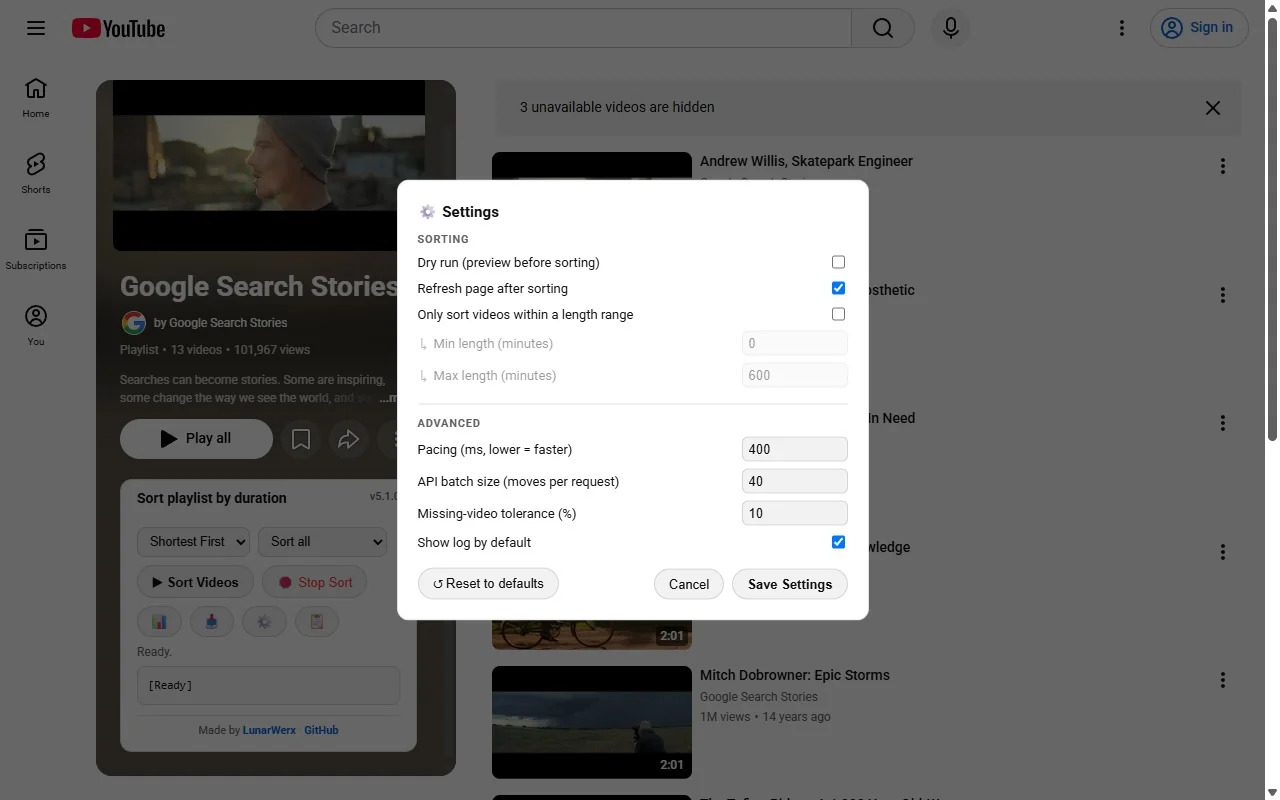
Dry run
Preview the exact before/after order first, then apply it with one click.
Length filters
Only sort videos within a duration range; everything else moves to the end.
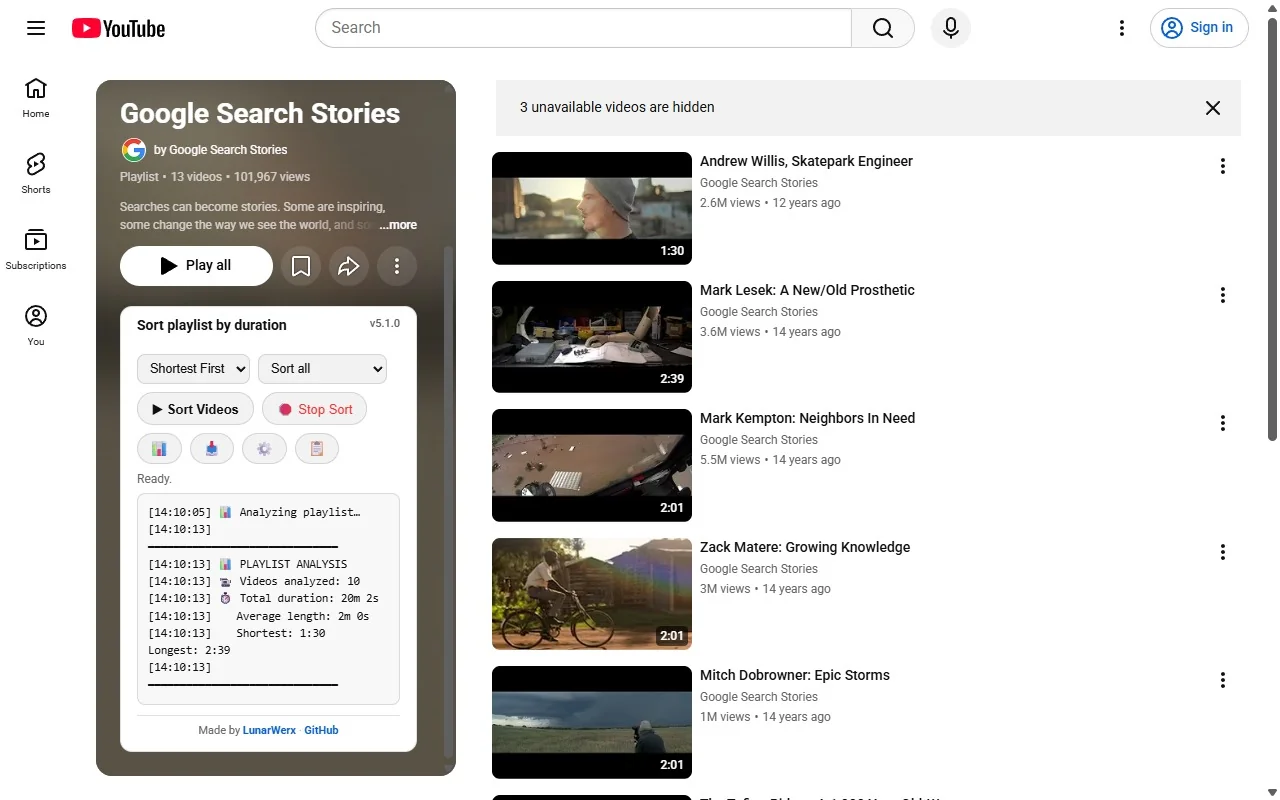
Stats & CSV
Total, average, shortest and longest at a glance. Export the whole list to CSV.
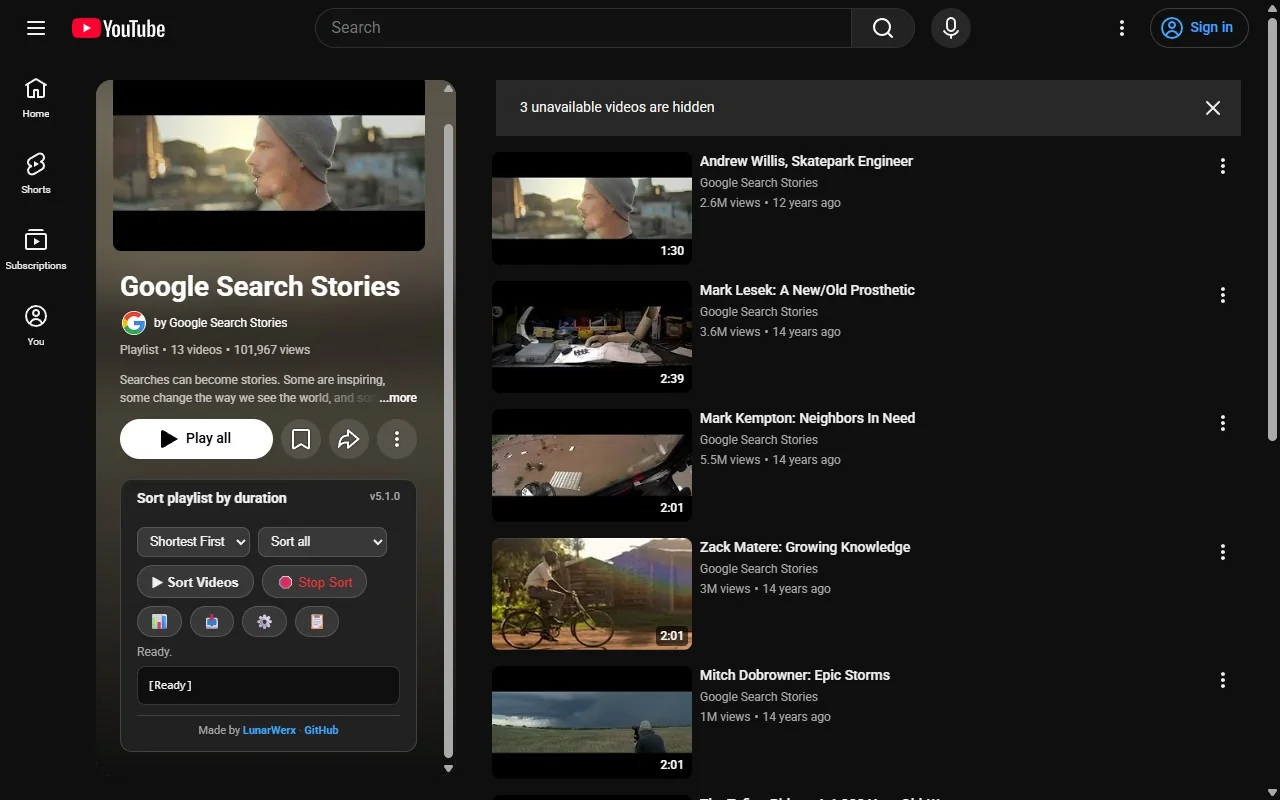
Light & dark
Matches YouTube's theme automatically, panel and all.
Drag fallback
If the fast path is ever unavailable, it falls back to a verified drag-and-drop engine.
Four steps, then walk away.
Open a playlist you own
Any playlist you created, or your Watch Later. You can only reorder playlists that are yours.
Set "Sort by" to Manual
YouTube only allows reordering in Manual mode. The panel reminds you if you forget.
Open the YTSort panel
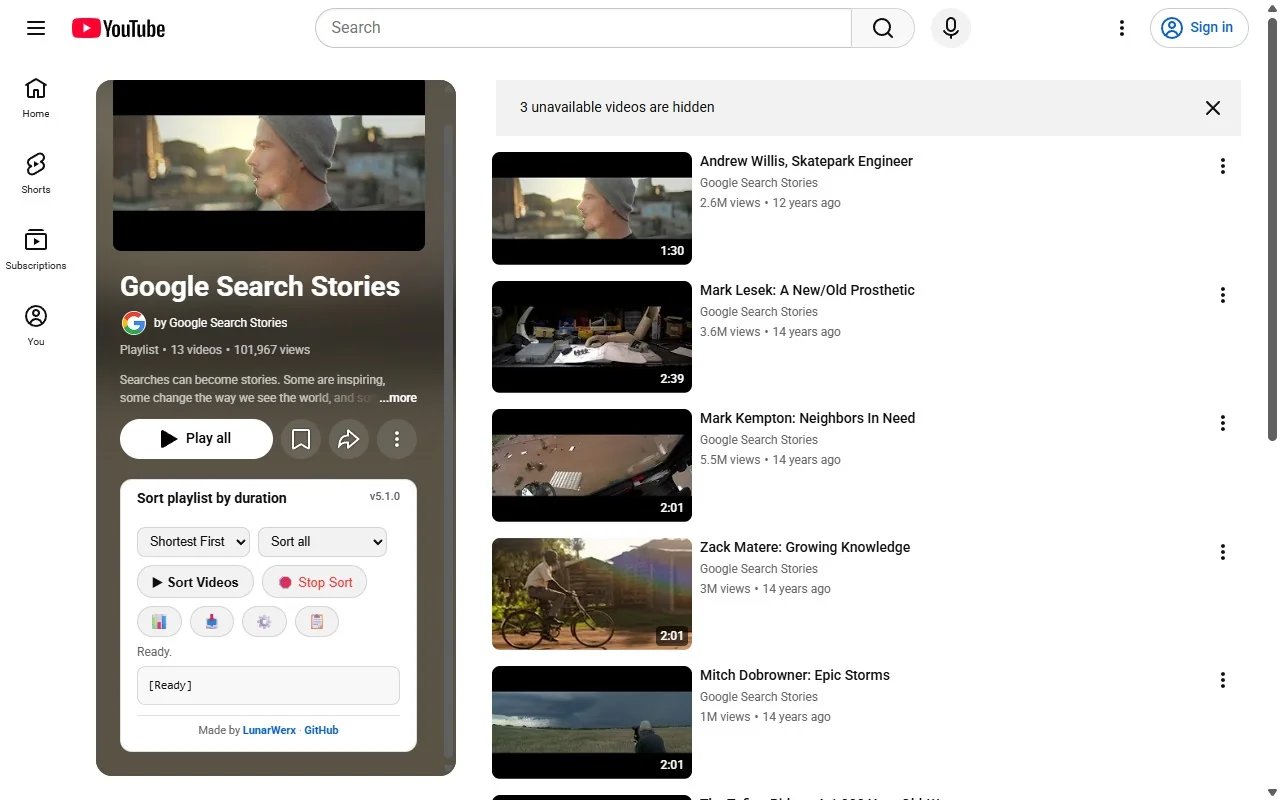
It appears just below the playlist header. Pick shortest or longest first, and a scope if you want.
Hit Sort
Watch the log. When it verifies the new order it refreshes the page so you see the result immediately.
Sort straight from a link.
Open ytsort.lunarwerx.com/?url=<playlist> and it sorts that playlist on load. Handy as a bookmark or shortcut.
A playlist link or id
Anything that names a playlist works after ?url=:
?url=WL: your Watch Later
?url=https://www.youtube.com/playlist?list=PL…: a full link
?url=PLxxxxxxxx: just the playlist id
Installed & signed in
It runs in your browser on your own YouTube login, so that browser needs YTSort and a signed-in session.
Not signed in? It says so plainly instead of silently doing nothing.
Everything in one small panel.
How it compares.
The real alternatives to YTSort, and where each one falls short.
YouTube itself
YouTube has no sort by length; manual means dragging every video. YTSort adds the missing duration sort.
Other playlist-sorting tools
YTSort calls YouTube's own reorder API rather than faking drag-and-drop, then re-reads the playlist to confirm.
Doing it by hand
Fine for a handful. A 300-video playlist is 300 drags; YTSort does it in seconds.
Questions, answered.
Is YTSort free?
Yes. YTSort is free and open source, with no account required. It installs three ways: a drag-and-drop bookmarklet, a Tampermonkey or Violentmonkey userscript, or a Chrome/Edge extension from the Chrome Web Store. It's licensed under GPL-2.0 and isn't affiliated with YouTube or Google.
Do I need to create an account to use it?
No. YTSort works with no account and no sign-up. Once installed, it runs against your own YouTube login in your browser: reading and reordering playlists you already own talks only to YouTube's own servers, so there's nothing to register or connect beforehand. This install page is separate from the tool itself and runs two first-party analytics mechanisms operated by LunarWerx (Connections' Studio), never a third party, to measure page traffic.
How do I sort a YouTube playlist by video length?
Open a playlist you own and set its "Sort by" option to Manual, since YouTube only allows reordering in Manual mode. Then open the YTSort panel that appears below the playlist header, choose shortest or longest first, and hit Sort; it verifies the new order before finishing.
What's the difference between the bookmarklet, userscript, and extension?
All three run the same sorting engine, so pick whichever fits how you browse. The bookmarklet loads the latest version on the fly with nothing to install. The userscript installs once in Tampermonkey or Violentmonkey and auto-updates. The extension is a zero-permission install from the Chrome Web Store.
Can I sort a playlist directly from a link?
Yes. Opening ytsort.lunarwerx.com/?url=<playlist> jumps straight to that playlist on YouTube and sorts it automatically on load, with no panel and no clicking. It uses whichever direction and scope you last chose in the panel, so the browser needs YTSort installed and a signed-in YouTube session.
Is YTSort fast on large playlists?
Yes, YTSort sorts through YouTube's own reorder API rather than dragging videos one at a time, so a 300-video playlist finishes in seconds, not minutes. It also reads every video in the playlist, not just the ones currently loaded on screen, before sorting the whole list.
Is YTSort safe to use?
Yes. YTSort is open source, so its full code is public on GitHub. It runs entirely against your own YouTube login in your own browser and only ever talks to YouTube's own servers; nothing you sort is sent anywhere else. The Chrome extension is a zero-permission install from the Chrome Web Store.
Does YTSort work offline?
No. Sorting calls YouTube's own reorder API live and then re-reads the result to verify it, so an active connection to YouTube is required. The bookmarklet also fetches its latest version from GitHub each time you use it; the userscript and extension keep their code locally between updates but still need YouTube itself to be reachable.
How is YTSort different from YouTube's own playlist sorting?
YouTube can sort a playlist by date added, most popular, or manually. There's no option to sort by video length, and manual reordering means dragging every video into place one at a time. YTSort adds the missing duration sort and reorders the whole playlist automatically, verifying the result before it's done.